Finding companies
The Companies overview shows all company records you have access to. From here you can browse, search, and open any company.
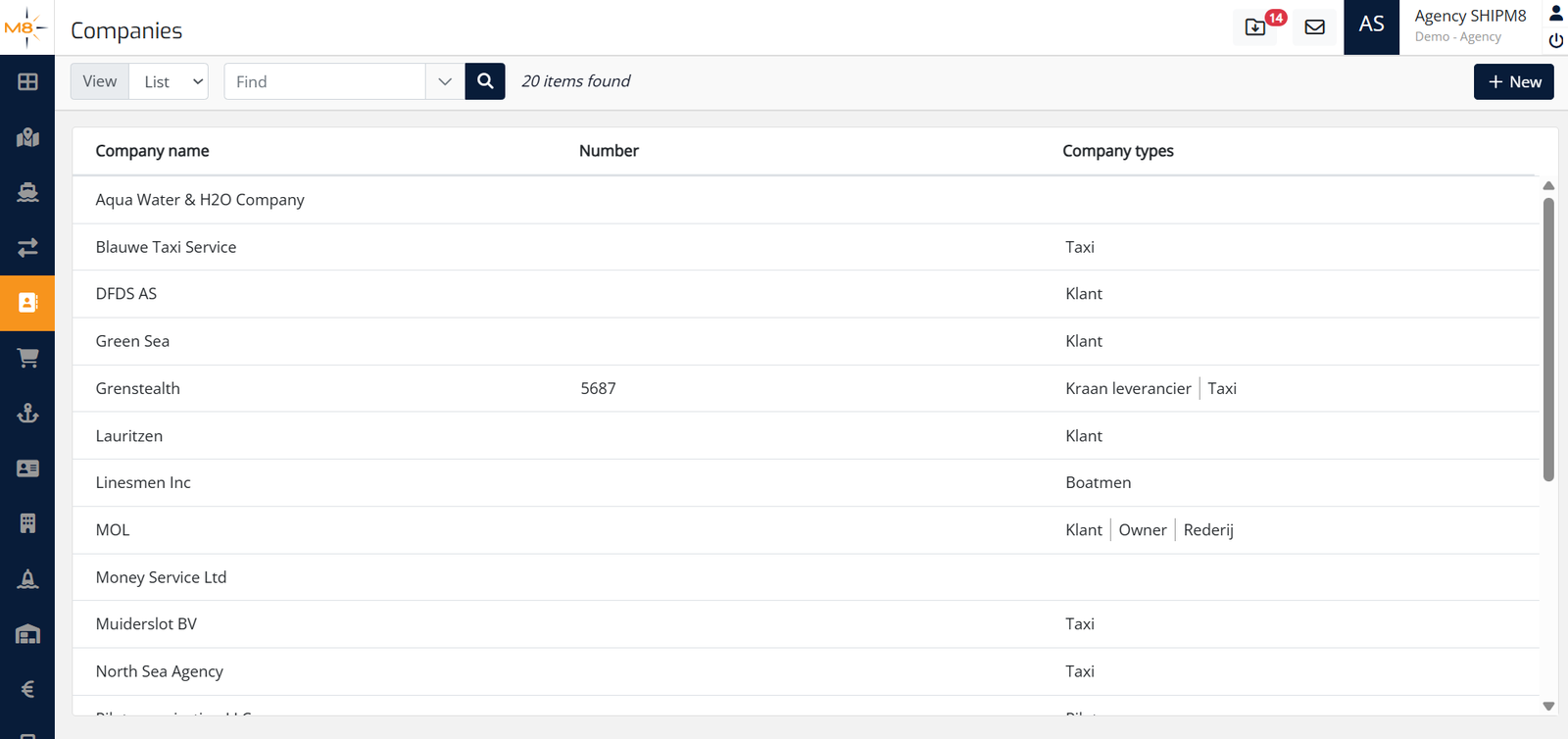
The overview screen
Toolbar
At the top of the page you will find:
| Control | Purpose |
|---|---|
| View dropdown | Switch between List view (table) and Tiles view (cards) |
| Find text box | Quick search — type and press the search icon to filter results |
| Dropdown arrow next to Find | Opens the Advanced search panel |
| Result count | Shows how many companies match the current filter, e.g. 20 items found |
| + New button | Opens the Create company modal (see Creating a company) |
List view
The default view shows a table with three columns:
| Column | Description |
|---|---|
| Company name | The name of the company; click a row to open the quick-preview panel |
| Number | The company's reference number (if set) |
| Company types | Type tags assigned to the company, e.g. Klant, Taxi |
Results load in sets. Scroll to the bottom and click Load more to fetch the next set of companies.
Tiles view
Switching to Tiles displays each company as a card. The same search and filter controls apply.
Quick-preview panel
Clicking a company row or tile opens a slide-in panel on the right showing the company name, email address (if set), and a Company details button that takes you to the full company detail page.
Quick search
- Click in the Find box and type any part of the company name (or other searchable text).
- Press the search icon (magnifying glass) or press Enter.
- The list updates to show matching companies.
To clear a quick search, delete the text in the Find box and search again.
Advanced search
For more targeted searches, use the Advanced search panel.
- Click the dropdown arrow to the right of the Find box.
- The Find companies panel expands below the toolbar.
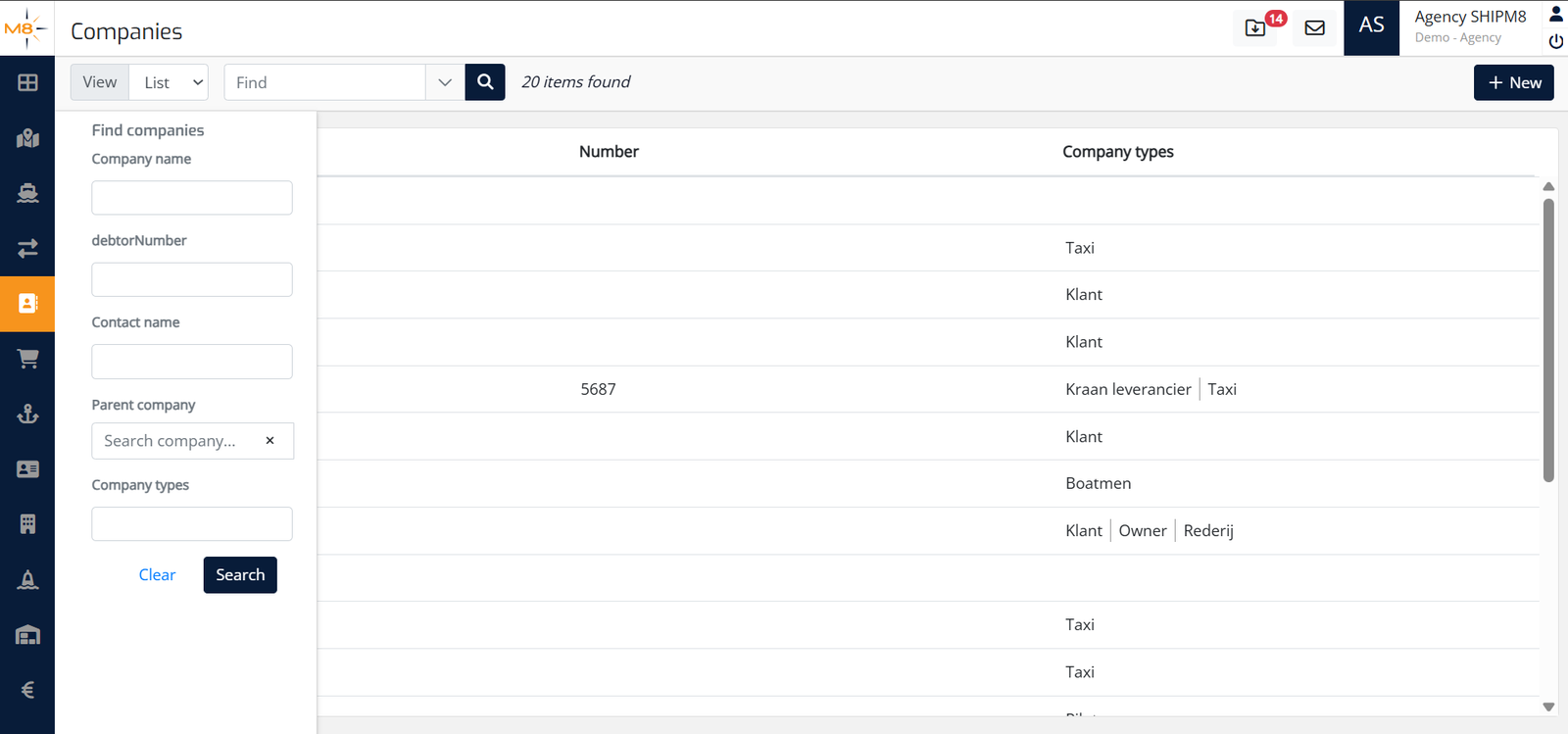
Advanced search fields
| Field | What to enter |
|---|---|
| Company name | Part of or the full company name |
| debtorNumber | The debtor number assigned to the company |
| Contact name | The name of a contact linked to the company |
| Parent company | Start typing to search for a parent company by name |
| Company types | Filter by one or more company type labels |
- Fill in one or more fields and click Search.
- To reset all filters, click Clear.
You can combine multiple advanced search fields in a single search to narrow results further.